
How can we help?
How do I submit defects reports after collecting the keys of my new property?
If you notice any defects after moving in, don’t worry! We’ve got you covered under the Defect Liability Period (DLP). Here’s how you can submit your defect report through the Sime Darby Property app/ website:
1. Open the Sime Darby Property Apps and login
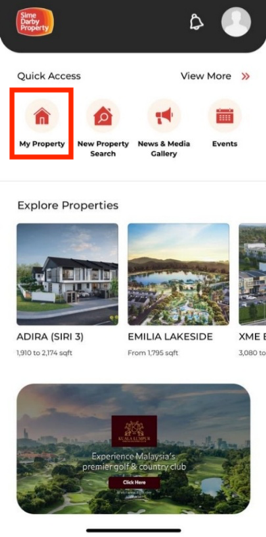
2. Click on “My Property” icon
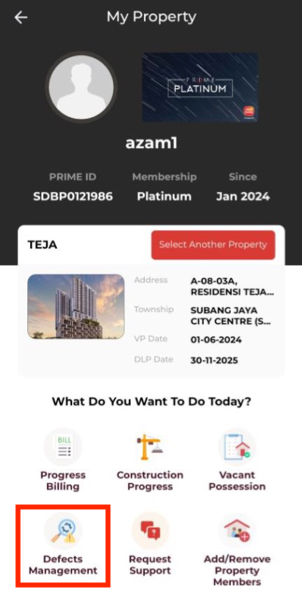
3. On My Property page, click on the “Defect Management” icon
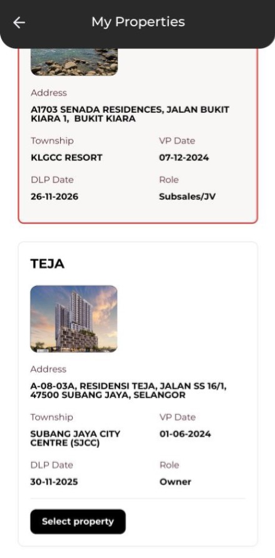
4. Optional: Click on “Select Another Property” button to change to another property (if you have multiple property under Sime Darby Property).
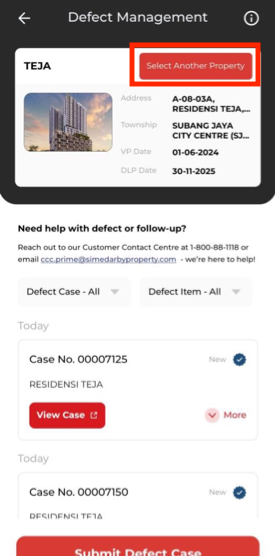
5. Click “Submit Defect Case” button to submit new defect: